> For the complete documentation index, see [llms.txt](https://docs.pletor.ai/llms.txt). Markdown versions of documentation pages are available by appending `.md` to page URLs; this page is available as [Markdown](https://docs.pletor.ai/build-your-system/nodes/brand-nodes.md).

# Brand nodes

Tailor Pletor flows to your brand.

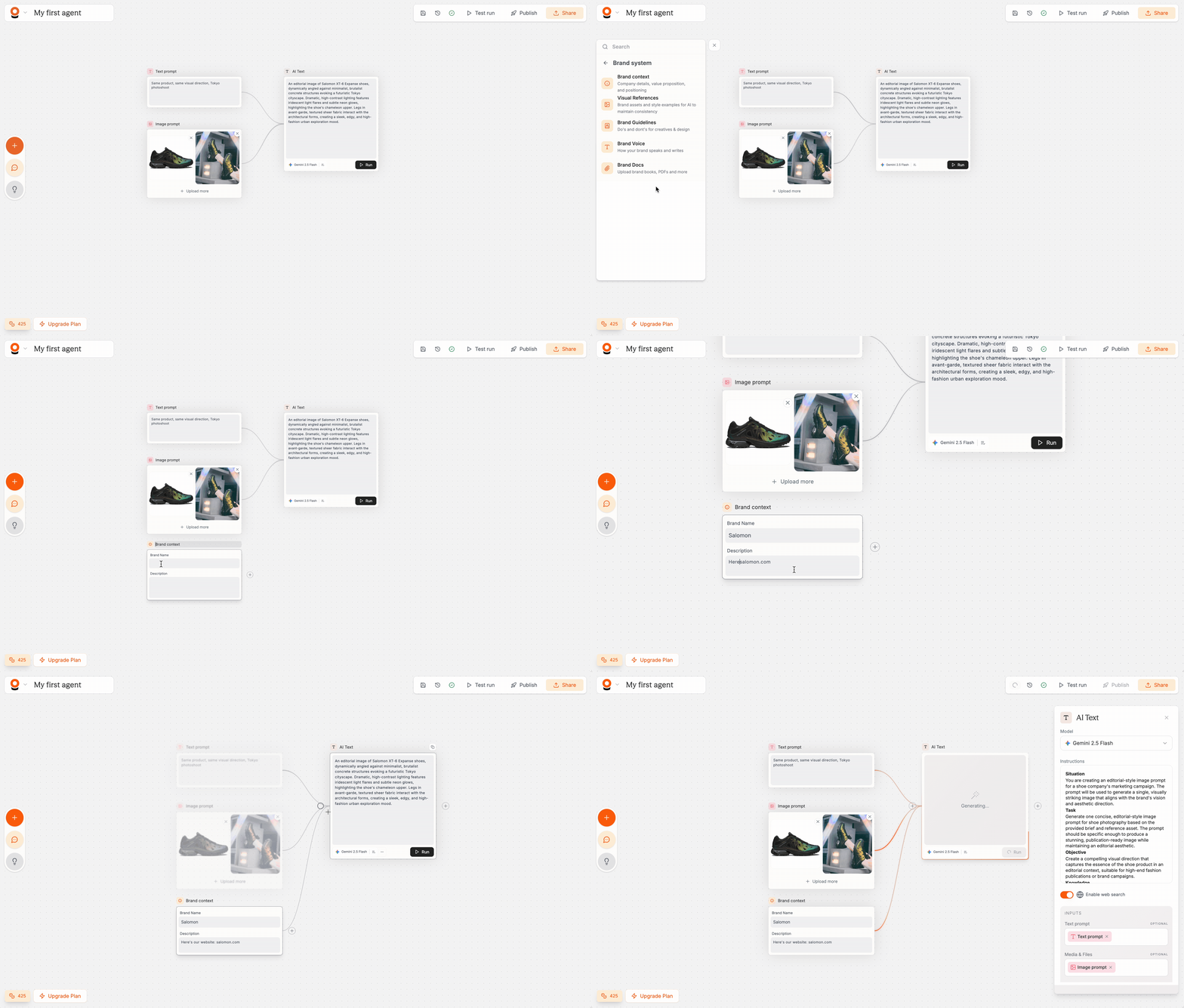
Your brand has a specific look, feel, and voice, and AI-generated content needs to reflect that consistently. Brand system nodes are here to reflect your brand's DNA directly into your flows.

Brand nodes inject your brand's identity directly into your flows. When connected to AI nodes, they ensure every generated asset stays consistent with your visual identity, tone of voice, and creative guidelines.

You'll find these nodes under **Provide Context → Brand System** in the node picker.

<figure><img src="https://2795436344-files.gitbook.io/~/files/v0/b/gitbook-x-prod.appspot.com/o/spaces%2Fnyc5C4KVCklpMy0pLa15%2Fuploads%2FCSK4AuxqjYKQGqHevrVR%2F2025-10-23%2016.18.32.gif?alt=media&amp;token=0edd2150-ddad-4203-b500-eeda1a1a1252" alt=""><figcaption></figcaption></figure>

***

### Available brand nodes

<table><thead><tr><th width="124.67791748046875">Node</th><th width="231.8004150390625">What it provides</th><th width="124.978271484375">Input type</th><th>Best for</th></tr></thead><tbody><tr><td><strong>Brand Context</strong></td><td>Company name, description, value proposition, target audience, and positioning</td><td>Text fields</td><td>Giving AI models essential context about who you are and what you do</td></tr><tr><td><strong>Visual References</strong></td><td>Brand assets, product images, or style examples that AI models can reference</td><td>Image uploads</td><td>Maintaining visual consistency across generated images and videos</td></tr><tr><td><strong>Brand Guidelines</strong></td><td>Do's and don'ts for creatives and design — your brand's visual and creative rules</td><td>Text</td><td>Enforcing specific style choices, color usage, layout rules, and creative direction</td></tr><tr><td><strong>Brand Voice</strong></td><td>Sample copy, messaging frameworks, and writing examples</td><td>Text</td><td>Matching your brand's communication style in generated text, captions, and scripts</td></tr><tr><td><strong>Brand Docs</strong></td><td>Comprehensive brand documentation uploaded as files</td><td>PDF, CSV, JSON, TXT</td><td>Sharing complete brand books, marketing playbooks, or detailed product sheets without reformatting</td></tr></tbody></table>

***

### Tips

* **Show, don't tell.** Visual References and Brand Voice work better than abstract descriptions. Upload real examples of your brand's look and writing style rather than trying to describe them in text.
* **Layer multiple brand nodes.** Use Brand Context + Visual References + Brand Guidelines together for the strongest brand consistency. Each one adds a different dimension of context. Use one node per set of cohesive visual references.
* **Brand nodes automatically serve as context when in App mode**. See more [Apps](/automate/apps.md).
* **Need brand context that stays in sync across every flow?** Set up a [Brain](/build-your-system/brain.md) once and drag its Memories into any flow.